
Google announced a new category of laptop on Tuesday May 12, 2026, called Googlebook, a device the company describes as the first laptop built from the ground up for artificial intelligence, designed around its Gemini AI system, and running an operating system that combines Android and ChromeOS.
The announcement came at a virtual event called The Android Show and was presented by Alexander Kuscher, Google’s Senior Director of Android Tablets and Laptops.
Devices will launch in fall 2026, made by Acer, ASUS, Dell, HP and Lenovo.
The Googlebook is, without Google saying so directly, the successor to the Chromebook, the affordable, browser-based laptop that became one of the most important computing platforms of the past 15 years, particularly in education and workplaces.
Google confirmed it will continue supporting existing Chromebook users through their current support commitments.
Some Chromebook models may be eligible for transition to the new experience.
The Chromebook era is not being declared over. The Googlebook era is clearly beginning.
No pricing has been announced. More details are expected later in 2026 ahead of the fall launch.
Interested buyers can register at googlebook.google.
What Is The Googlebook?
The Googlebook is not a continuation of ChromeOS. It is a new platform built on Android as its core, with elements of ChromeOS, specifically its web browser integration and productivity architecture, woven into it.
The result is described by Google as an “intelligence-first” computing platform where Gemini is not an app you open but the foundation of how the entire operating system works.
The distinction between a Gemini-powered laptop and a laptop that runs a Gemini app matters more than it sounds.
When Gemini is embedded at the operating system level, when the cursor itself is powered by AI, the experience of using the computer is different at every interaction. You do not invoke AI.
It is already there when you move your pointer to a new element on screen.
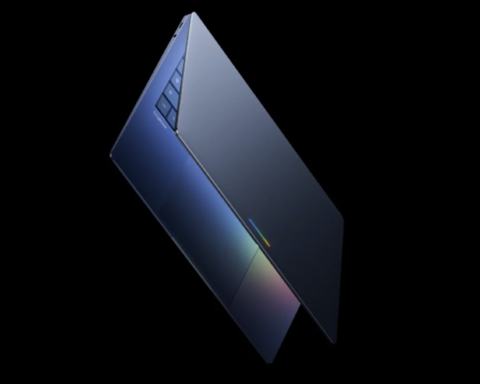
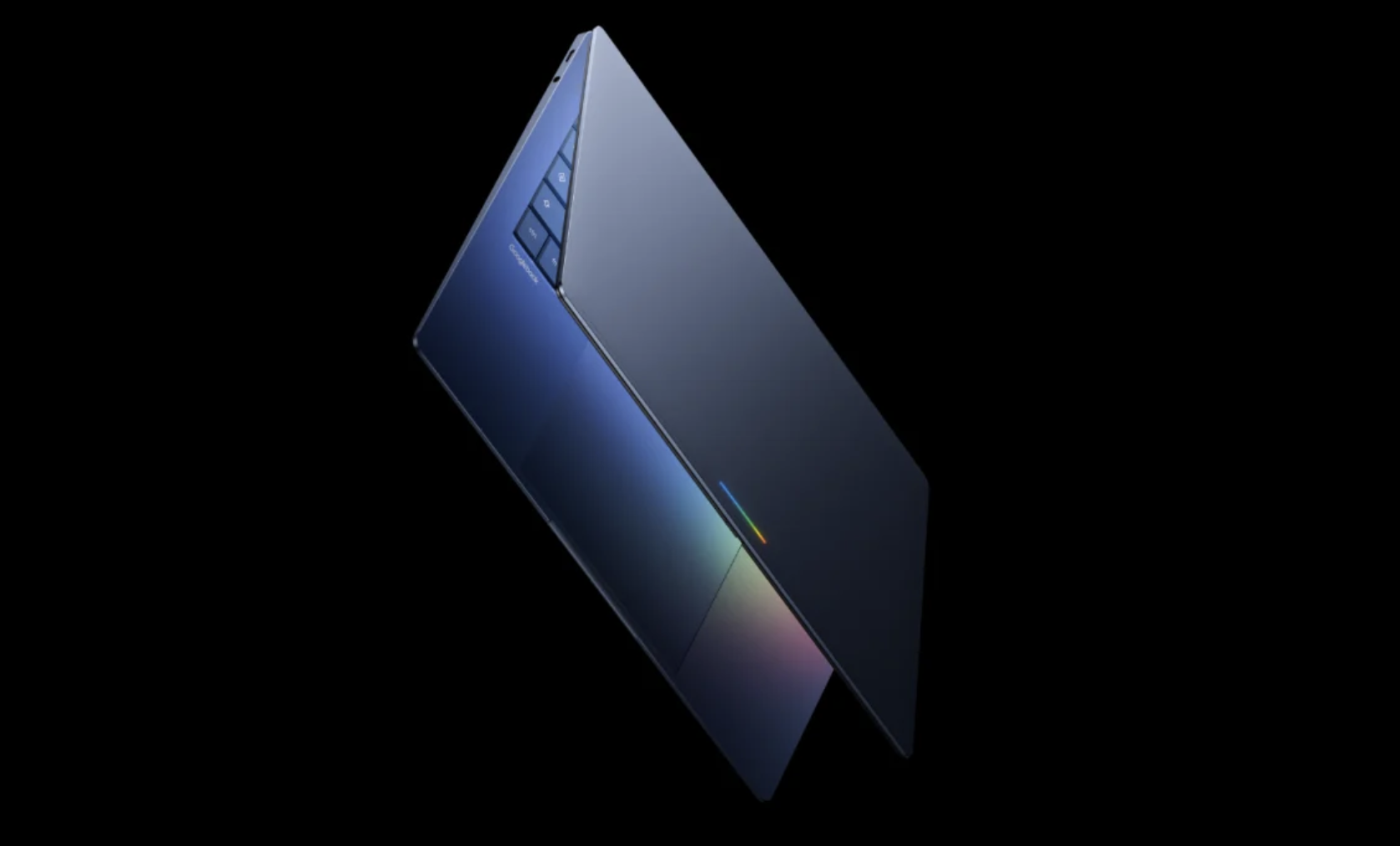
Every Googlebook will be visually identified by a distinctive feature called the glowbar, a rectangular LED light built into the lid of every device regardless of manufacturer.
The glowbar is Google’s version of the apple on an Apple laptop, a premium signature mark that identifies the platform instantly.
Devices will come in a variety of shapes and sizes from the manufacturing partners, but every one will carry that mark.
The Magic Pointer
The feature Google spent the most time demonstrating in Tuesday’s announcement is the Magic Pointer, and it is the one that most directly shows what “built for Gemini Intelligence” actually means in practice.
On any computer you have ever used, the cursor does one thing: it points. You move it to the thing you want to interact with, and then you click or right-click. The cursor itself has no intelligence.
It has no awareness of what it is hovering over. It has no ability to suggest what you might want to do with that thing. It is a pointing instrument.
The Magic Pointer is different. Wiggle it over any element on screen, a date in an email, a photo, a product listing, a document, and Gemini activates, reading the element and offering contextual suggestions for what you might want to do with it.
Point at a date in an email and the Magic Pointer offers to set up a meeting automatically.
Select two images, your living room and a new couch you are considering buying, and it offers to visualize them together, placing the couch in the room so you can see how it looks before purchasing.
It offers ask, compare and combine tools for whatever is on screen. A marketer selects two ad designs in a Dropbox folder and asks Gemini to combine them. It does.
Kuscher described the philosophy behind the feature in a briefing with reporters. “We thought, we can take Gemini Intelligence and make the pointer truly smart and intelligent. As you wiggle and you move over the screen, it will tell you what it can interact with, and contextually offer you the actions that you can do. It really exemplifies how we think about AI features throughout Googlebooks.”
The Magic Pointer was built with the Google DeepMind team, a specific collaboration between Google’s product team and its AI research division that reflects how seriously the company is treating the hardware AI integration.
Create Your Widget And The Personalized Desktop
The second major Googlebook feature is Create Your Widget, an Android feature that is coming to the laptop platform as one of the core productivity tools of the new OS.
The concept is that your desktop can be genuinely personalized in a way that no current laptop operating system provides.
Rather than choosing from a library of existing widgets for weather, calendar, stocks and other static information, you prompt Gemini with what you want organized and it builds the widget itself.
Planning a family reunion in Berlin, prompt Gemini with that context and it searches the internet for relevant information, connects to your Gmail to find emails about the trip, accesses your Calendar for the relevant dates, pulls in restaurant reservations, and creates a single dashboard widget on your desktop that shows flights, hotel, restaurants and a countdown to the event. One prompt. One widget.
The desktop becomes a genuinely personal workspace rather than a generic one.
The same system connects to all Google apps, Gmail, Calendar, Drive and the broader Workspace ecosystem.
The widget layer is persistent and updates as the underlying information changes, meaning the flight confirmation that arrives in your email the day after you create the widget will automatically appear in the Berlin reunion widget rather than requiring you to rebuild it.
The Phone-Laptop Ecosystem
The third major feature is Quick Access, and it is the one that most directly reflects Google’s broader strategy of making Android devices and Googlebooks function as a unified ecosystem.
Every Googlebook will be able to access the files on your Android phone directly from the laptop’s file browser.
Not through a syncing process that moves files between devices. Not through a cloud intermediary.
The files on your phone are browsable from the laptop in real time, you can view, search and insert them into whatever you are working on without transferring anything.
The requirement is that the phone runs Android 17 or above. Given that Android 17 was announced alongside Googlebook and will begin shipping to Pixel devices this year, the ecosystem effect becomes more powerful over time as the Android installed base updates.
This is Google’s answer to the Continuity features that Apple has built between iPhone and Mac over the past several years, the ability to start something on one device and pick it up on another, to see your phone’s content on your laptop, to use the devices as complementary tools rather than separate silos.
Quick Access is the first Googlebook feature designed specifically around that continuity goal.
The Chromebook Legacy
The Chromebook launched in 2011. In the 15 years since, it became the dominant laptop platform in K-12 education across the United States, where its low cost, simplified management and browser-based software made it ideal for school districts that needed to put computers in front of every student affordably.
It also became significant in enterprise and government settings where web-based workflows and security-conscious IT departments found ChromeOS’s locked-down architecture appealing.
That market, education especially, is not what Googlebook is targeting. Analysts expect Googlebook devices to be positioned above the entry-level Chromebook price range, competing with Microsoft’s Copilot+ PC line and Apple’s AI-integrated Mac lineup rather than with the $200-$300 Chromebooks that fill school supply closets.
The premium segment of the PC market is where AI-native devices carry the most value and justify the most investment.
Google confirmed that current Chromebook users will continue receiving updates through their existing support commitments. The company did not announce an end date for ChromeOS.
Some Chromebook models may become eligible for a transition to the new Googlebook experience as the platform matures.
What that transition looks like in practice, whether existing hardware can run the new OS or whether it requires new devices, has not been specified.
The Broader Google AI Strategy
Googlebook is the latest element of a consistent Google strategy that has been building throughout 2025 and into 2026, embedding Gemini into every product Google makes rather than maintaining it as a separate AI assistant.
Gemini is now in Android phones, Google Search, Google Workspace, Pixel devices, the newly announced Google Health app, and as of Tuesday, the operating system of a new laptop category.
The Android Show announcement also included Gemini Intelligence features for premium Android devices, including Samsung Galaxy and Google Pixel phones, that enable multi-step task execution, form filling, website summarization and voice-to-text cleanup.
Pause Point, a new Android 17 feature, gives users the ability to mark specific apps as distracting, triggering a pause prompt before those apps open. Screen Reactions lets users record their device screen with a camera overlay of themselves for social media content.
Google I/O 2026, the company’s annual developer conference, is scheduled for May 19, one week from Tuesday.
The Googlebook announcement appears to be a preview of what will be a much larger set of AI and platform announcements at that event.